Visual occlusion goggles
The VOG module runs a pair of Red Scientific occlusion goggles, plots the lens state as the trial runs, and writes the total shutter open and closed time that the controller reports for each trial.
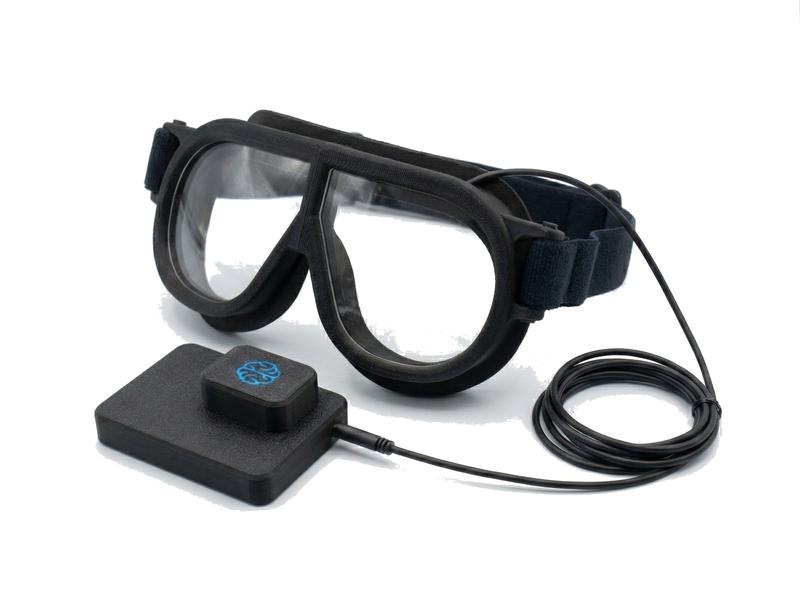
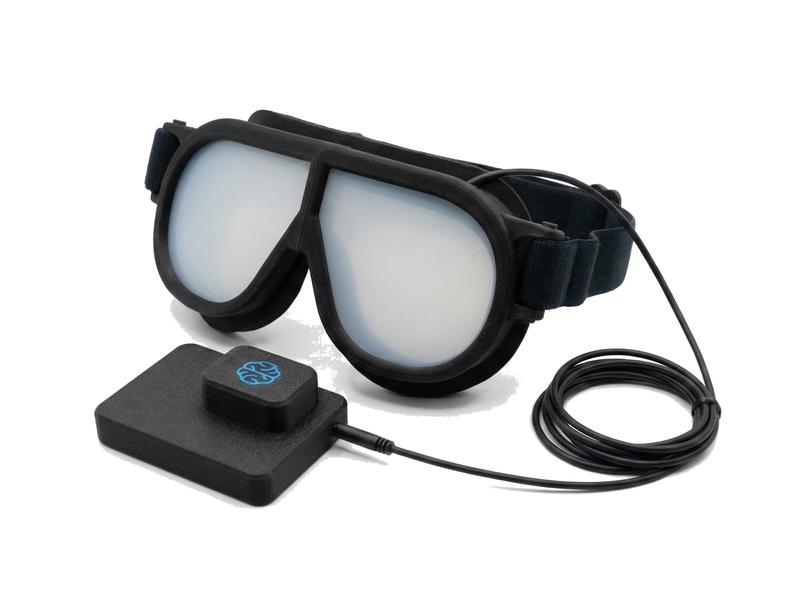
The goggles product page describes the kit and the ISO 16673 method.
Getting started
- Connect the controllerUSB for the wired goggles. For the wireless goggles, plug the XBee coordinator into a USB port.
- Enable the moduleCheck VOG in the Modules menu. Each controller found is listed in the Devices panel. Click it to connect; its window opens and its indicator turns green. RSLogger reconnects it on the next start. For a wireless unit, click Rescan if it does not appear.
- Choose the mode and timingFile > Configure… in the VOG window.
- RecordStart a session and click Record. The controller starts the experiment and the window plots the lens state.
The VOG window
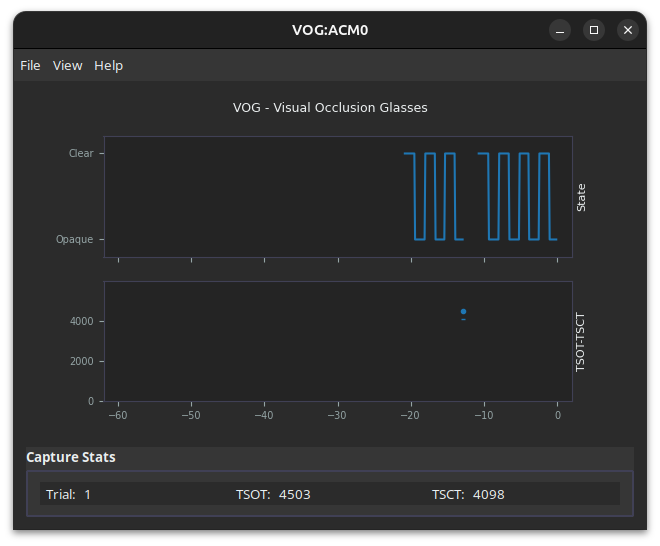
The upper plot shows the lens state over the last 60 seconds. The lower plot marks TSOT and TSCT for each completed trial. Capture Stats show the trial number, TSOT and TSCT of the last trial. The menus are File (Configure…), View (Lens: ON and Lens: OFF, to open and close the lenses by hand) and Help.
What is logged
The module writes one CSV per controller for the whole session, in the VOG folder, and appends one row for each completed trial.
{session_dir}/VOG/{token}_VOG_dev_ttyacm0.csv| Column | Description |
|---|---|
shutter_open | Total shutter open time for the trial, TSOT, in milliseconds. The primary measure of visual demand. |
shutter_closed | Total shutter closed time for the trial, TSCT, in milliseconds. TSOT plus TSCT is the task time. |
trial | The controller’s trial count, from 1 in each session. It advances on every Record and also when the participant’s button ends one trial and starts the next within a recording. |
record_time_mono, record_time_unix | Host time when the trial’s result arrived from the controller. Use for lining up with other modules. |
shutter_total, lens, battery_percent | Wireless goggles only. The sum of the two times, the lens the row refers to, and the battery level. |
The data output reference lists every column in order.
Reading TSOT
In cycle mode with 1.5 s intervals, TSOT divided by 1.5 s is the number of vision intervals the task took, and the remainder is how far into the last interval the participant finished. The NHTSA visual-manual guidelines accept a task when at least 21 of 24 participants complete it with a TSOT of 12 s or less.
How the timing is measured
The controller times the intervals and accumulates TSOT and TSCT itself, on a 1 ms clock, and sends the totals to RSLogger when the trial ends. Nothing about the host computer’s timing affects the values. The host timestamp on the row is later than the end of the trial by the time the message took to arrive, which RSLogger does not measure, so use it to place the trial in the session, not to time it.
These statements come from reading the controller firmware. No accuracy figure is claimed.
Lens transitions
The lenses are polymer-dispersed liquid crystal. They clear in under 10 ms and take about 50 ms to become opaque enough to block useful vision, and about 100 ms to reach full opacity. ISO 16673 requires the switch at the end of an occlusion interval, the opening, to take less than 20 ms.
Modes
| Mode | Lenses | Button | Wired | Wireless |
|---|---|---|---|---|
| Cycle | Alternate clear and opaque on a fixed schedule | Starts and stops the trial | Yes | Yes |
| Peek | Opaque until the participant asks to see | Requests a peek | Yes, see below | Yes |
| eBlindfold | Clear until the participant finds the target | Ends the trial | By setting a very long open time | Yes |
| Direct | Follow the button | Press to clear, release to occlude | Yes | No |
Cycle
The ISO 16673 and NHTSA method. Record starts a trial with the lenses clear, and they alternate between clear and opaque, 1.5 s each by default, until the trial ends. TSOT is the visual demand of the task. The participant’s button ends the trial when the task is done, and a further press starts the next one. Pause also ends a trial.
Peek
The lenses stay opaque. When the participant presses the button the lenses clear for the open time, then go opaque again. A lockout for the closed time prevents a second peek straight after the first. TSOT is the total time the participant chose to look. The mode suits voice and auditory interfaces, where the question is how much visual confirmation the participant needs.
eBlindfold
The trial starts with the lenses clear. The participant searches for a target and presses the button on finding it. The lenses go opaque and the trial ends, so TSOT is the search time. On the wireless goggles this is a preset. On the wired goggles, set a very long Max Open time in cycle mode and the first press starts the trial with the lenses clear and the second ends it.
Direct
The lenses follow the button: held down, clear; released, opaque. No trial structure and no TSOT. Use it when other equipment controls the goggles through the button port. Available on the wired goggles only. The wireless goggles do not support it, and the Direct preset in their Configure dialog has no effect.
Configuration
File > Configure… opens a dialog that differs between the two units. The values live on the controller and survive power cycles.
Wired goggles
| Field | Meaning | Default |
|---|---|---|
| Config Name | A name for the settings, stored on the controller | |
| Max Open (ms) | How long the lenses stay clear in each cycle, or per peek | 1500 |
| Max Close (ms) | How long the lenses stay opaque in each cycle, or the peek lockout | 1500 |
| Debounce (ms) | How long the button must be steady before a press counts | 20 |
| Click Mode | 0: the button acts while held. 1 or 2: each press toggles | 1 |
| Button Control | 0: the button starts and stops the trial, for cycle mode. 1: the button drives the lenses, for direct mode, with Click Mode 0 | 0 |
The controller also accepts Button Control 2, which is peek mode. The current dialog offers only 0 and 1, so to use peek on the wired goggles send the controller >set_configButtonControl|2<< from a serial terminal, with Click Mode 1. Refresh reads the controller’s current values and Apply writes the fields to it.
Wireless goggles
| Field | Meaning |
|---|---|
| Name | A name for the settings |
| Open Duration (ms) | Clear time per cycle or per peek |
| Closed Duration (ms) | Opaque time per cycle, or the peek lockout |
| Debounce Time (ms) | Button debounce |
| Start Clear | Whether a trial begins with the lenses clear |
| Verbose | Send a row at every lens change rather than one per trial |
The four preset buttons set the mode and the timing in one step: Cycle (1500 ms open and closed, start clear), Peek (1500 ms each, start opaque), eBlindfold (open until the button is pressed) and Direct, which has no effect on this unit. Upload Settings writes the fields to the controller.
Troubleshooting
The controller is not detected
For the wired unit, confirm that it appears as a serial port: a COM port on Windows, /dev/ttyACM* on Linux, /dev/tty.* on macOS. Try another USB cable. On Linux, your user must be in the dialout group. For the wireless unit, check that the coordinator is plugged in and only one coordinator is connected, then click Rescan in the Devices panel.
The lenses do not respond
Check that the VOG window is open, which means the controller is connected. Use View > Lens: ON and Lens: OFF to test the lenses by hand. For the wireless unit, check the battery level. Reconnect the cable or restart the unit.
No rows after a trial
Rows are written only for trials completed while a session is recording. Check that you pressed Record before the trial and that the session folder is writable. The System Log in the main window reports file errors.
A wireless connection drops
Keep the coordinator in range of the goggles and away from large metal surfaces. Check the battery level. Click Rescan after the unit comes back.